Hello sound design enthusiasts and experimental producers! Today, I’m thrilled to introduce you to Knob Studio, a Max for Live device that’s set to redefine your approach to modulation and parameter mapping in Ableton Live. Designed with precision, creativity, and exploration in mind, Knob Studio invites you into a world where evolving waveforms, layered functions, and intuitive controls can breathe life into your productions.
Curious already? Check out the teaser and walkthrough videos for a quick taste!
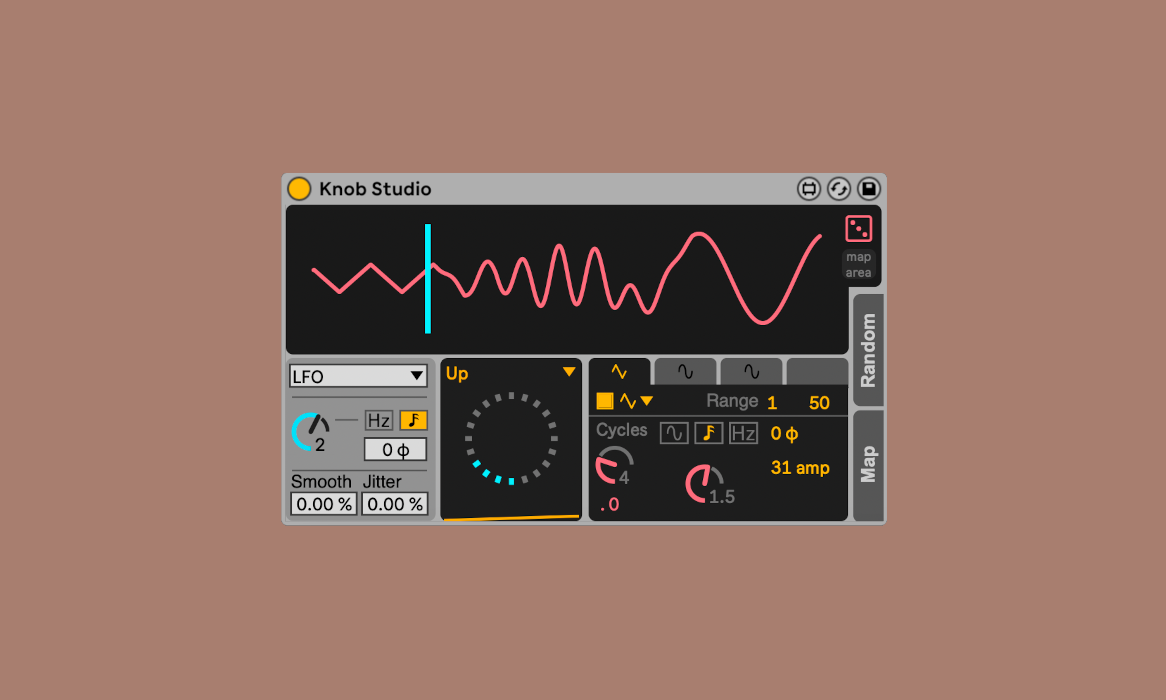
What Makes Knob Studio Unique?
Knob Studio is more than just a modulation tool; it’s a Liquid Modulation Matrix—a playground where [[control and chaos]] coexist harmoniously. At its core, this device allows you to map Ableton Live parameters to dynamic waveforms. Whether you’re crafting intricate textures, evolving atmospheres, or wildly unpredictable effects, Knob Studio adapts to your sound design, because it can be all clocked.
Features
- Evolving Waveforms: These aren’t static LFOs—they’re dynamic, layered, and endlessly tweakable.
- Customizable Functions: Shape your modulation curves exactly as you want or leave it to chance with randomization options.
- Multi-Layer Modulation: Stack multiple functions, each with its own properties, to build intricate movement.
- Versatile Reading Heads: Modulate parameters manually, with LFOs, or by responding to your audio’s envelope.
- Real-Time Feedback: A sleek visual interface ensures you can see and shape your modulations as they happen.
Whether you’re looking to add [[organic movement]] to synths, transform effects chains into living organisms, or explore OSC overlay movements, Knob Studio is your partner.
How It Works
Knob Studio is built on a hybrid foundation of gen~ and JavaScript, merging the power of DSP-level signal processing with the flexibility of custom UI design. Here’s a glimpse into its inner workings:
- Gen~ for Performance: Handles audio-rate processes with razor-sharp precision.
- JavaScript for Interface: Makes complex modulation intuitive and visually engaging.
For the tech-curious, this is a behind-the-scenes video detailing the thought process and technical design behind this device. Dive in if you’re interested in Max programming or just want to geek out on the possibilities.
Enjoy your time with this tool, it's an amazing utility for modulation! And the person behind (Alessandro) feels grounded and humble, so I love to support even more.