If you're an Ableton Live user, you're in for a treat! Ableton has rolled out several powerful updates that take your music production and live performances to new heights. Whether you're a vocalist, beatmaker, or sound designer, there's something in this update for you. Let's dive into some of the standout features.
Auto Shift: Real-time Pitch Perfection
Auto Shift is a game-changing pitch tracking and correction tool, perfect for vocal work but versatile enough for any monophonic signal. Its standout feature? Real-time formant shifting, allowing you to correct pitch while preserving the natural tonal characteristics of the voice. With the MIDI sidechain, you can even play and harmonize incoming signals polyphonically, making it a dream for creative harmonization.
Additionally, Auto Shift includes two modulation sources: a dedicated vibrato LFO and a multi-purpose LFO, both fully capable of MPE modulation when in MIDI mode. And for live performers, the low-latency Live Mode ensures smooth operation on stage. With built-in and custom scale support, Auto Shift offers flexibility that makes it more than just a pitch-correction tool.
Drum Sampler: Groove Making, Simplified
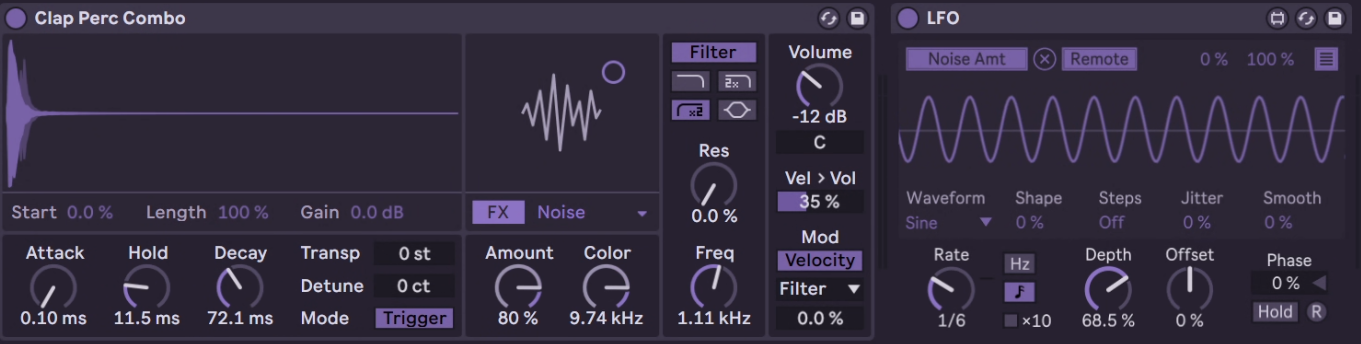
The Drum Sampler is your new go-to for playing back one-shot samples. It offers all the essential controls you’d expect: sample start, length, pitch controls, and a powerful AHD envelope. But it doesn’t stop there. You also get time-stretching, frequency modulation, sub-oscillator layering, and noise effects, giving your drums extra punch and character.
The compact yet powerful filter section, optimized for drum hits, offers both low-pass and high-pass filters, plus a parametric EQ. And here’s a time-saving tip: if you want Drum Sampler to be your default device in Drum Racks, just right-click and save it as the default pad.
Limiter: Smoother Control and New Modes
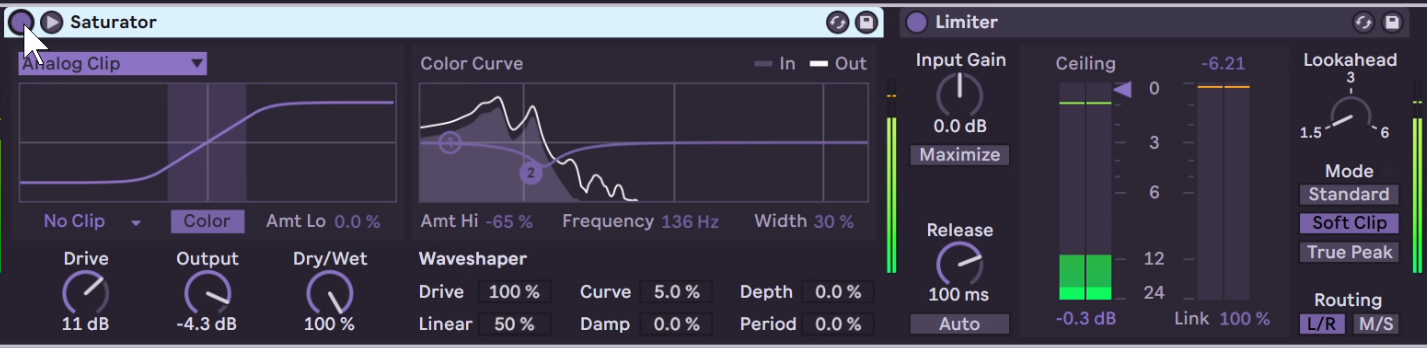
The Limiter has been completely revamped with a new UI, improved release behavior, and enhanced metering, making it easier than ever to dial in the perfect loudness. The updated Limiter also introduces Mid/Side routing, allowing independent control of the mono and stereo parts of your mix. And with new Soft Clip and True Peak modes, you can manage your dynamic range more precisely, especially with the Maximize toggle for fast loudness control.
Saturator: Dial in Warmth and Character
For those who love saturation, the new Saturator will become an instant favorite. Redesigned with a focus on simplicity and control, it now features a Bass Enhancer curve that’s perfect for low-end sounds like 808s and basslines. The inclusion of a Hard Clipping stage for more aggressive distortion, alongside the Soft Clipping mode, gives producers more tonal flexibility. In expanded view, the pre-shaper EQ helps shape the sound before saturation, offering even greater control over your mix's color and dynamics.
MIDI Tools: Easy Polyrhythm
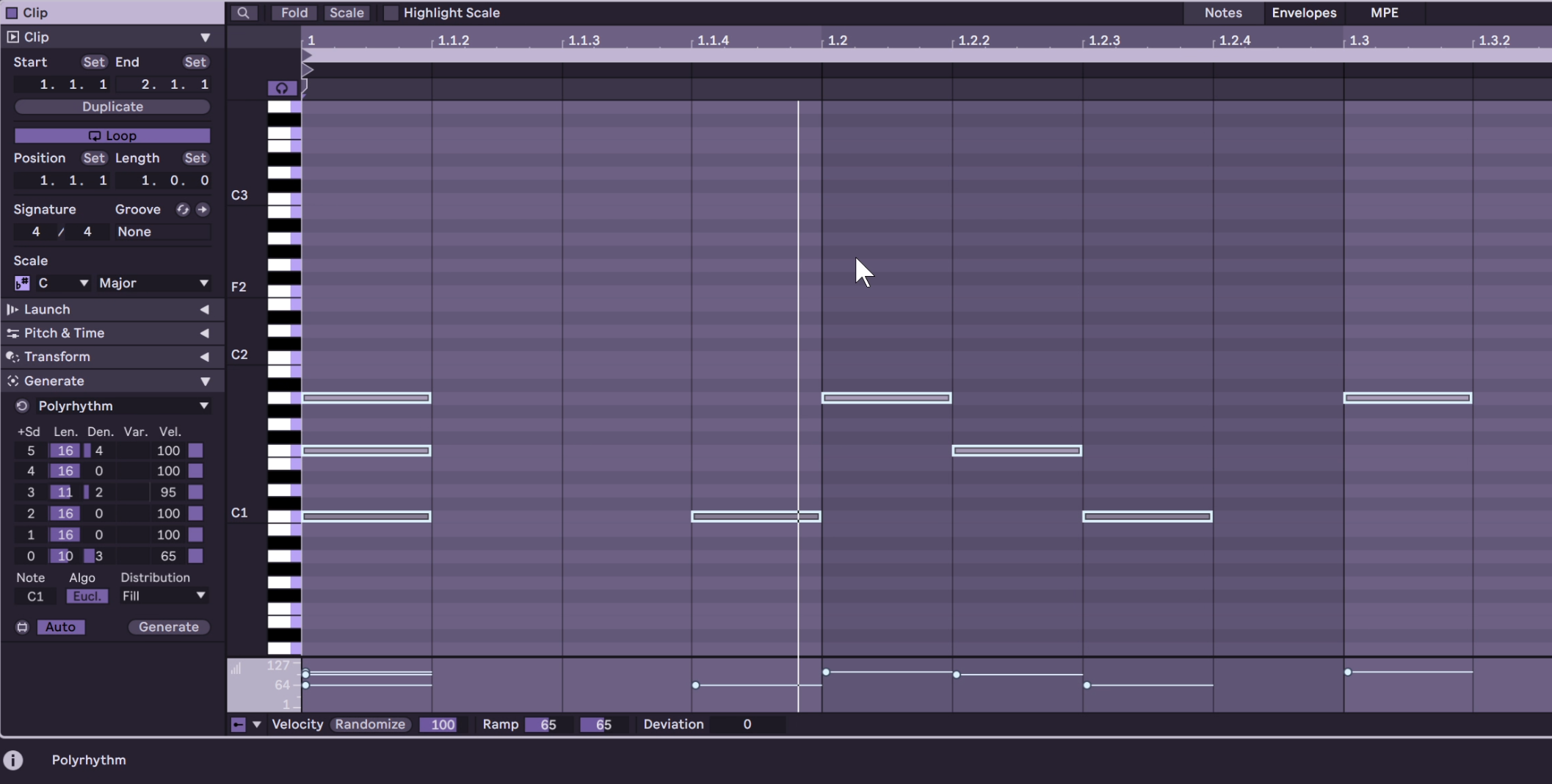
Ableton Live’s MIDI workflow has been supercharged with new tools and transformations. The Find and Select Notes feature allows you to filter and search for notes based on pitch, time, velocity, and more. You can even select notes that belong to specific scales or set conditions like active/inactive states.
For even more control, the Chop MIDI Tool lets you split notes into multiple parts with ease, providing instant rhythmic variations. Pair it with the MPE MIDI Tools for advanced pitch bending, glissandos, and LFO-driven oscillations, and you have a whole new level of expressive control over your MIDI clips.
Auto Tagging and Full-Height Browser: Streamlined Workflow
Ableton has made significant improvements to the browser with automatic tagging of audio samples and VST3 plugins, making it easier than ever to find the perfect sound. The Full-Height Browser view stretches all the way to the Status Bar, giving you more room to navigate through your library.
Additionally, auto tags are now added to samples under 60 seconds, which can be shown or hidden in the browser for better organization. Custom tags and reordering options let you create a streamlined workspace tailored to your needs.
Undo History: Enhanced Workflow Control
The new Undo History feature allows you to see every step of your project and roll back changes with a simple click. This is especially useful when making complex changes across multiple tracks or effects.
Apply Grooves Instantly: Groove On Demand
Groove lovers rejoice! Now, a groove is automatically applied to every new MIDI clip. Adjust the global groove amount, and you’re set. This makes it super simple to inject feel and movement into your tracks right from the start.
Conclusion
These new features represent a major leap forward for Ableton Live, whether you're focusing on performance, production, or sound design. From Auto Shift's real-time pitch control to the newly designed Drum Sampler, each tool gives me already great ideas to manipulate my sounds in new or more easy ways. Again Ableton gives us an important update for the DAW but also doesn't surprise us with something never seen in the industry.