I was thinking about what is exciting for beginners in Ableton Live and gets you to good music fast. For me that is randomness with MIDI effects. It generates things you would not do from your own knowledge. You decide what you keep from it, cut what you don't like, and end up with a fresh idea. So in this part we build a small generative system.
In this part:
- What a MIDI note is: trigger, pitch, gate length, velocity
- How to generate notes with Melodic Steps
- How the Scale device keeps everything in key
- How Random keeps a sequence alive
- Chord and Expressive Chords
- How to map modulation with Expression Control
What is a MIDI note?
MIDI generators and MIDI effects load before the sound source, not after it like the audio effects from Part 7: Reverb, delay and sends. They work with notes. A MIDI note is:
- a trigger: you hit the key, it goes on and off
- a pitch: C1, C3, G, and which octave
- a gate length: how long you hold the note
- a velocity: hit it soft and it is quiet, hit it harder and it gets louder
How do I generate notes with Melodic Steps?
If you ask me, the best and coolest MIDI generators are sequencers. I use Melodic Steps with a fresh Operator after it. Switch the clock on, press play, and it plays notes into the synth.
- Set the number of steps. Don't make it too long.
- Randomize. The little cube randomizes very drastically. The button with the two dots changes it just a little, for when you are close to something you like.
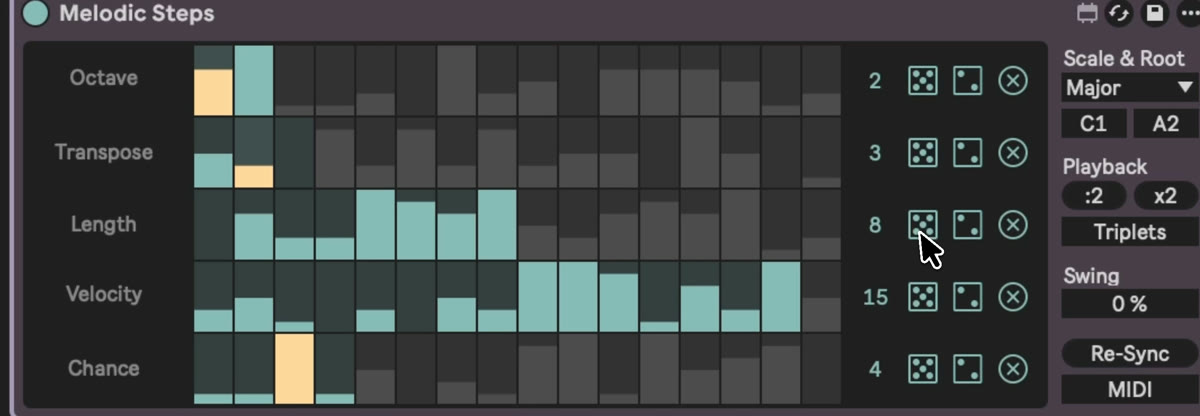 3. Set the scale root and scale awareness, for example minor, because the project is in G minor. Now it stays in the minor area.
4. Multiply the playback to make it faster, or slow it down. Triplets put it a bit off the grid.
3. Set the scale root and scale awareness, for example minor, because the project is in G minor. Now it stays in the minor area.
4. Multiply the playback to make it faster, or slow it down. Triplets put it a bit off the grid.
By the way, sequencers play forever, so you have to stop them.
How do I stay in key? The Scale device
Put Scale behind the generator and set G minor. Whatever you send in, even if you change the note, gets forced into that scale. In newer versions Scale has a button that takes the key from the top bar, so you get the same scale awareness instantly.
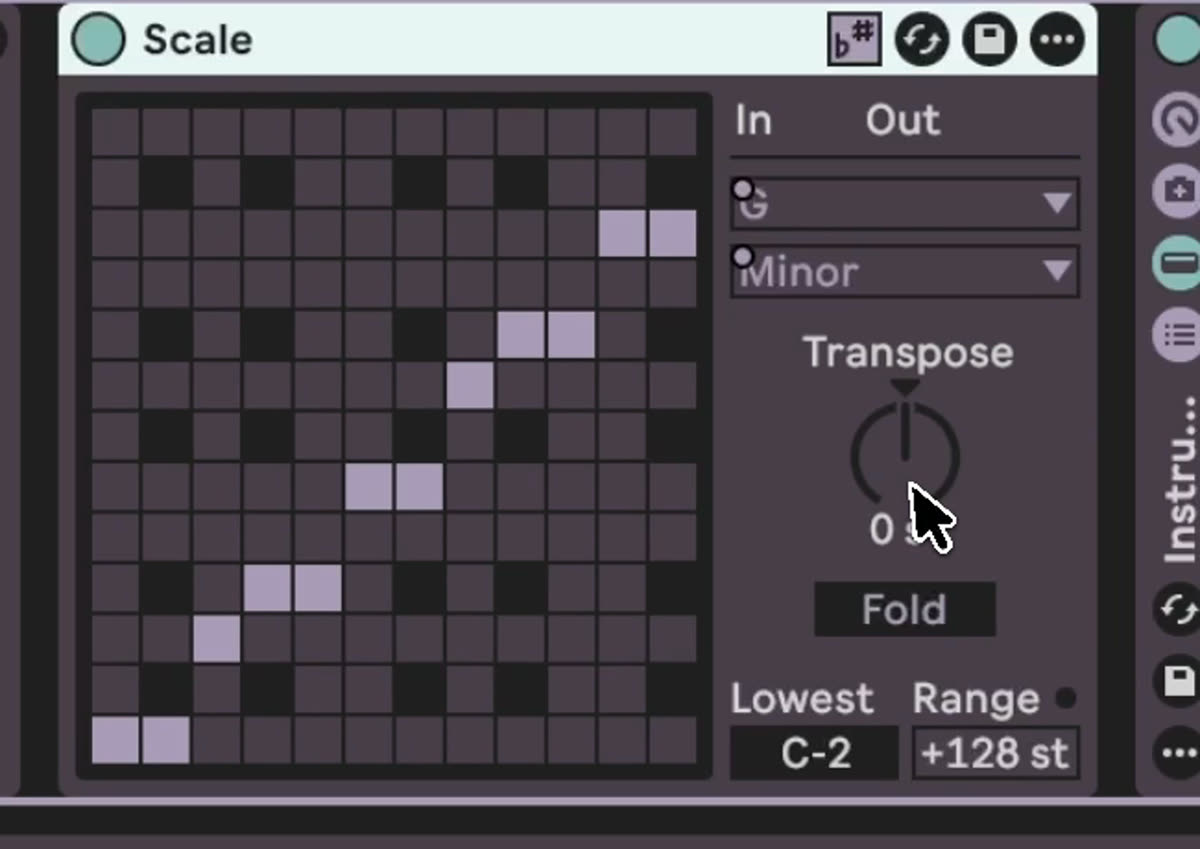
Think about what that means. Put Scale in front of Operator, play your keyboard, and you are never out of scale. Now you're a musician.
Random
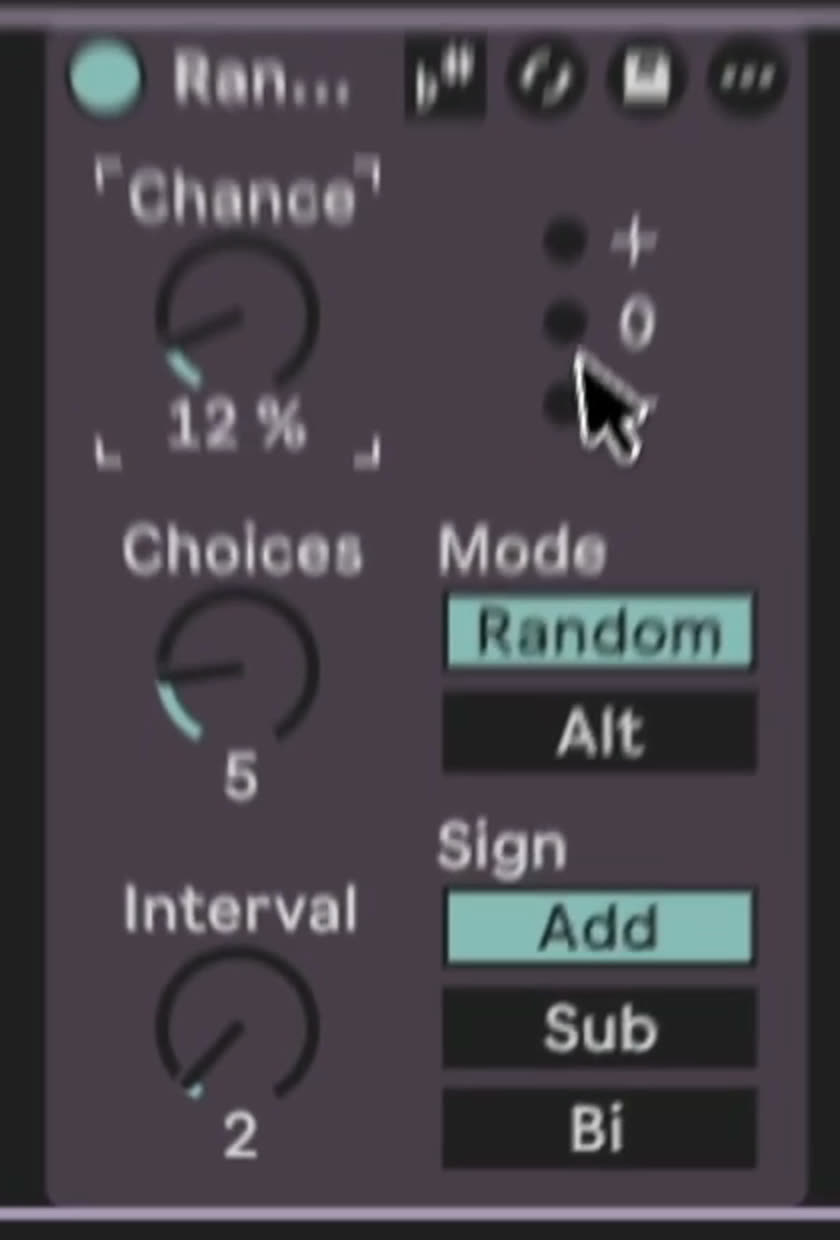
Random changes some of the notes. You set the interval, for example 2, and whether it adds, subtracts or goes both ways. Then choices, up to 12, and the chance. I use five choices and a chance of around 12%. Sometimes a note goes one up or one down. So a generated sequence stays alive and doesn't always repeat.
Chord and Expressive Chords
With Chord you set intervals, for example 5 and 7 semitones up and 12 semitones lower, and one incoming note plays as a chord. You can combine it with scale awareness too.
There is also the newer Expressive Chords. I have not used it much, and I can't tell you what everything on it does. It has no scale awareness button, but because Scale sits in front, everything that comes in is already in G minor. When you play a note, it shows you which chord it is.
Turn it into a drone
After the synth I add Reverb, very reverb-y at around 70%, with a long decay. Then Hybrid Reverb on top. Click the first device, hold Shift, click the last one, and press Cmd+G to group them. Then keep randomizing the patterns. This kind of system is why I love Ableton so much.
Expression Control
Expression Control takes information from the notes, like velocity or a random value, and you map it somewhere. In the video I map the random velocity onto a parameter of the sound source. When it is off, we never get that high overtone. Mapped, it opens up sometimes. That is your first modulation. You can also set the curve, so it switches on directly or fades in slowly.
Each of these devices could have its own tutorial. I wanted to show you the fun part, a system that generates music without a single clip.
What to try now
Use Melodic Steps, Random, Scale and a chord device, map a sound source with Expression Control, and let it generate notes. Really play around, you cannot make anything wrong here. Find a sweet spot. With this, a bit of Operator and some effects you can almost make your first ambient track.
Don't watch everything in one row. Make some music in the middle of the course, then go to the next video. That will help a lot.
My device racks for this kind of movement, 12 racks including Random Trigger, Key Maker and Dub Chord: https://mordio.online/shop/eb647d43-b658-47b3-993f-0efb6e96ee13
Previous: Part 7: Reverb, delay and sends. Next: Part 9: From loop to track.