~ $ cat signals/soma-cosmos-explained-knob-by-knob.md
Signals
Make Any Sound a Drone: The SOMA Cosmos, Knob by Knob
My friend Ana Rosa is an ambient artist from Berlin and Santiago. She plays live with flutes, rain makers, a Boss looper and a little modular, all through a mic. She bought a SOMA Laboratory Cosmos after I told her how happy I am with mine, and then she never found the time to try it. So I offered her a run through, we filmed it, and at the end we jammed with two Cosmos.
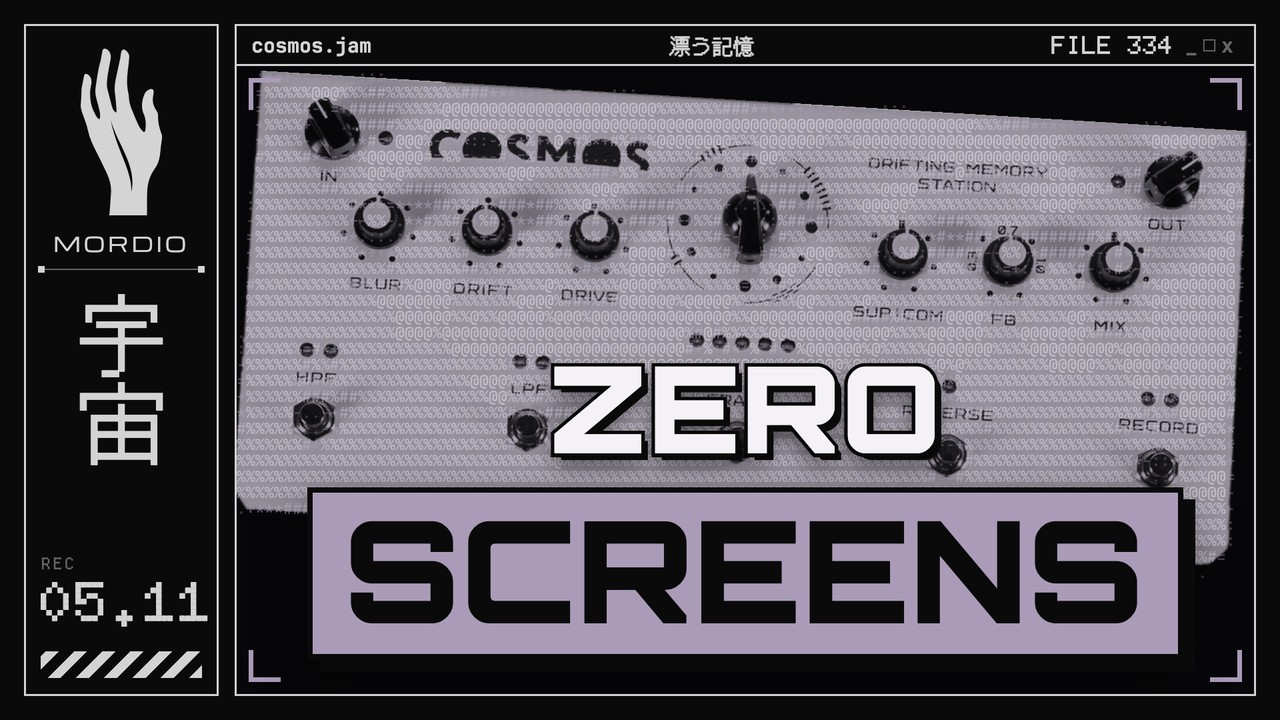
In the video I explain the Cosmos the way I feel it. At one point I even say it out loud: "the manual makes this way better than me." So for this post I sat down with the official SOMA manual and put the facts next to my vibe. Where I said something slightly off in the video, you get the correct version here.
What the Cosmos is
When I bought it, I knew exactly what I wanted: put something in a key, and get a drone in the same key out. That is what I hear it do. You put in a guitar chord, your voice, a field recording, and after a while you can't tell anymore if it was my guitar or me sneezing. It just stays in the mood of what you fed it.
SOMA calls it a "drifting memory station". Technically it is a big sound memory, 44.7 seconds of it, where the recorded material is constantly recombined. Three things do that: delay lines whose lengths are all different large prime numbers, an LFO that runs asynchronously, and a slowly changing chaotic modulation signal. The result layers like a looper, but in SOMA's words "without an intrusive, repetitive loop". That is why I call it an esoteric looper. It shifts all the time.
One correction right away. In the video Ana asks how much you can record and I say "I think it's unlimited". It is not. The memory is 44.7 seconds. It feels endless because the feedback keeps sending the material around and the algorithms keep moving it, so you never hear a loop point.
The other thing I say in the video that I stand by: whatever you put in, it needs time. Some modes take a minute or two before they really become a drone. If you want something that reacts instantly, or a looper that repeats your guitar line in time, buy something else. This is for ambient heads.
The algorithm dial
The big dial in the middle has four algorithm types, marked by the dashed lines around it. Each type has three variations, the three dots. In the video I say the three dots are "how intense". More precisely, the bigger the dot, the longer the delay lines.
- Two delays. Two delay lines that constantly shift against each other. Total repetition time roughly 2.5, 9.5 and 22 seconds.
- Four delays. Four delay lines shifting against each other. Roughly 2.5, 8.5 and 11.5 seconds. In the video I say "four delays in a row". The manual does not say in a row, just four lines moving against each other.
- Giant reverb. I call it "a reverb because it's so many delays". SOMA describes it as an echo in a hall several kilometers in size: the early reflections are so far apart that they sound like single echoes, and they melt very slowly into the noise of a reverb tail. The three sizes are huge hall, super-huge hall and insanely-super-huge hall. So the Cosmos does have a reverb inside, it is just one of the four algorithms, not an extra effect on top.
- Granular delay. An asynchronous granular stereo delay. Small, medium and large delay and grain size, and the largest one adds an extra granular delay in the center. In the video I admit I don't understand the granular mode that well. That is what it is.
Switching algorithms fades the sound out and back in, so it doesn't click. The content of the memory moves into the new algorithm and gets processed in the new way. That is the small dropout you hear in the video when I change modes, and why changing modes doesn't kill a live set. It is still a big change, so I usually switch while the Torso S-4 is doing something and bring the Cosmos back in afterwards.
The knobs
IN. Input level. Turn it so the LED next to it is green and only lights up red now and then. Red here means the input converter is overloading, and that distortion is harsh and can't be fixed later.
BLUR and DRIFT. In the video I say these two knobs change with the mode. That is right, and here is exactly how:
- Two delays and four delays. BLUR adds cross feedback between the delay lines, so the content slowly blurs. DRIFT moves the delays around the stereo field with the asynchronous LFO, whose speed is itself modulated by the chaotic signal.
- Giant reverb. BLUR and DRIFT do nothing.
- Granular. BLUR moves the grain positions with a noise signal. DRIFT moves the grain positions with the asynchronous LFO, again modulated by the chaotic signal.
Two corrections from the video. When I'm in the reverb, I say I like "a little bit blur, a little bit drift" and that they make it "even more droney". In the Giant reverb algorithm both knobs do nothing. And in granular I say blur "kind of makes it backwards". What it really does is scatter where the grains are read from. Real reverse playback is the REVERSE button.
My sweet spot in granular is still blur all the way left and drift around 12 o'clock. That is taste, not manual.
DRIVE. Gentle distortion, like a guitar overdrive. I keep it low or off for ambient. More on the pitch firmware below.
SUP|COM. In the video I call it "subcomp, like supplement and compression". The real name is suppressor and compressor:
- Middle position, the marked spot: both off. This is where I start, and I still think that is the right default.
- Counterclockwise: suppressor. New incoming sound pushes down what is already recorded, and the louder the new sound, the stronger it pushes. The Cosmos then replaces its content with the new material and plays it until the next thing comes in. That is my example in the video: guitar on top and the guitar is louder than what was recorded before.
- Clockwise: compressor. Soft sounds get louder, loud sounds get quieter, and it reacts to the sum of recorded and incoming sound. That is why everything glues into "one big thing" over time.
During the jam I tell Ana to go more towards sub if she wants another layer. Going by the manual it is the other way round: sub replaces, so if you want to stack layers, stay in the middle or go towards the compressor.
FB. Feedback, how much of the delay output goes back into the input. Below 1.0 the sound fades out. At 1.0 it stays at the same level. Above 1.0 it gets louder. SOMA recommends slightly below 1.0, so there is room for new sound. In the video I say that below 1.0 "it dies directly". It fades out, slowly near 1.0 and faster the lower you go. That fade is my favourite live move: instead of erasing, I pull the feedback down, let the old layer die slowly, record the next one on top, and turn feedback back up to keep it.
If you go above 1.0, the built in limiter catches it and you get a soft tape like saturation instead of digital clipping. SOMA says you can use that overload as an effect. If your 1.0 doesn't feel like 1.0, the manual has a calibration routine for the exact unity point.
MIX. The balance between the incoming signal and the Cosmos. Fully left you hear only the input, fully right only the Cosmos, the middle is equal. SOMA suggests the middle for most cases. I mostly play this knob and OUT against each other, because when I mix the Cosmos in it gets louder, and I don't want the room to hear that.
OUT. Output level. The green LED next to it is the power light.
The buttons
HPF and LPF. High-pass and low-pass, each with three fixed cutoff settings. To change the cutoff, hold the filter button and press REVERSE (SELECT). The two LEDs show the setting. Careful, the logic is flipped between the two: on the HPF one LED means the gentlest setting, on the LPF one LED means the strongest.
What I hear in practice: when the filter is on, the material keeps losing bass or highs the longer it circulates. In the video the bass of my guitar drone slowly disappears. That is the ambient trick I love: a low-pass on the master, but here it happens over time by itself. And when you hit a note too hard and the low end gets too much, you don't need to re-record. Filter it for a while, then switch it off. The manual describes the filters, not where they sit in the signal path, so take the "over time" part as my ears, not a spec.
ERASE. Clears what is in the delay lines. To wipe everything at once, hold ERASE and press RECORD (ERASE ALL).
REVERSE. Reverse playback. Also the SELECT button for the filter, record mode and other combos.
RECORD. When it is on, the input is written into the memory. When it is off, the recorded sound keeps playing and the effects still work on it, and the input is only mixed in, not recorded. SOMA says that is good for soloing over a background, and that is how I play the S-4 over a running Cosmos drone.
Two things I don't show in the video:
- RECORD has four modes. Hold RECORD and press SELECT to switch between off, first group of delays, second group of delays, and all delays. All delays is the main mode, in SOMA's words where "all the magic of COSMOS is revealed".
- In the two delay algorithms, hold RECORD for more than five seconds and playback slows to half speed. Hold it again for five seconds to go back. That works on the normal firmware.
And a freeze that isn't a freeze: stop recording, put feedback on 1.0, and the content stays where it is. In the video I say you can roll a cigarette then.
Pitch instead of drive
You can update the Cosmos from a USB stick, and SOMA has several firmware versions. I run the one with a pitch function, because I don't use drive in my ambient. It turns DRIVE into a pitch knob for all algorithms, changing the speed of recording and playback.
Here I got it wrong in the video. I say that with the knob all the way right I can pitch two octaves down. According to SOMA, fully clockwise is normal speed, and turning it counterclockwise goes down to half speed, which is one octave down. SOMA also says it is quite lo-fi and creates digital artifacts. For me that is part of the charm. In the jam you hear it pull everything down like a Shepard tone going the wrong way.
The official firmware versions are the main version, a main version with pitch, a rhythmic version with a real looper (for everyone who does want their guitar line in time, it has its own manual), a rhythmic version with pitch, and a quadro version for two Cosmos in parallel with four outputs. All on SOMA's firmware page.
To install one, following the manual: a FAT32 stick, the firmware file in the root folder with its original name, only one firmware on the stick. Switch the Cosmos off, plug the stick into the back, hold RECORD and switch it on. The LEDs above RECORD show the progress, and the running light from left to right means it is done. If the red LED next to IN comes on, it failed. In the video I say "hold a button or something". It is RECORD.
Inputs, outputs, and the mono question
The input is stereo, TS or TRS. Plug a mono cable into one input and the Cosmos copies it to the other side. Left and right go to different delay groups, so feeding a stereo signal usually doesn't add much, it gets split up anyway.
In the video I say the Cosmos pans so hard that it would be difficult on a mono speaker. The stereo part is true, DRIFT throws the delays around a lot. But if you plug only one output, the Cosmos makes its own mono mix and keeps everything that was panned. So mono works.
Two tips from the manual that matter for Ana's soft voice and flutes. There is a noise gate on the input to keep long performances clean, and with very quiet sounds it can eat the attack. Press HPF, LPF and ERASE together to make it ten times more sensitive. And HPF, ERASE and RECORD together sums both inputs to mono, so you can use the stereo input as a mixer for two mono sources. Both reset when you switch the Cosmos off and on.
The level LEDs in the middle show the level circulating in the delays. Keep it in green and yellow. Red means the limiter is working, not that something is broken.
Size and weight, since I say "built like a tank": 342 x 153 x 68 mm and 2.2 kg. No screens. The controls are made for staying in the music, and that is the part I love most.
How I DJ with the Cosmos and the S-4
My live setup is the S-4 into the Cosmos. On the S-4 I prepare jams as scenes, and the sounds change a lot between them. Scene one has rain on channel four, scene two has night cicadas.
The Cosmos is my DJ booth. I record scene one into it, slowly turn MIX towards the Cosmos and hear a drone of what just happened. Then I switch the scene on the S-4, the cicadas come in, I mix both, and at some point I'm fully in the new scene. The old one fades out through the feedback. When I play live I hate screens, so this is how I perform: a few volume knobs, the scenes, and mostly the MIX knob. Sometimes I touch it by five percent and that is the whole move.
One chord became NIL
When I made my album NIL, I played one guitar chord I liked into the Cosmos and waited. Then I mixed it in, heard this drone, and kept it as the full track. I layered some textures on top and that was it. You can read more about the album in the NIL post. My newest ambient album is Mycelium, and it is here on the blog too.
Two Cosmos
For the jam, one Cosmos went into the input of the other, and the second one went into the interface, with the S-4 next to it. Ana wanted to try her voice, very soft, and we kept layering, with the voice, a forest recording from Plänterwald on the S-4, and the pitch firmware on my side.
What I learned: with two of them you lose track of who is playing what. So I hit my low-pass for a moment, my highs go away, and I can hear Ana's highs again. Ana wanted an EQ next to it, and she is right. Live I would put a small mixer in front, any cheap mixer works, so you can say: these are the mids, these are the highs, I can't hear them.
If you run two Cosmos often, SOMA's quadro firmware is made for that: one Cosmos on the main firmware, one on quadro, four output channels. We didn't use it in the video.
What you need next to it
The Cosmos alone is perfect if you only want drone music. If you want more, you need a second sound source that does more than one sound: a sampler like the S-4, a Digitakt or Octatrack, a small modular, or Ana's Boss looper, with a clean loop for rhythm and the Cosmos for the textures. And a reverb pedal on the side is still fun, even with the giant reverb inside.
Watch the video
The full crash course and the jam with Ana Rosa are in the video below. More of Ana's music and live work: anarosaibanez.com. At the end I show a hoodie I'm testing. I would only make merch if you actually want it, so tell me in the YouTube comments if this is something for you or if I should just print my five shirts and stop.
If you play a Cosmos, or you want to talk ambient setups, come into the Discord. No gatekeeping.
Links
- SOMA Laboratory Cosmos
- Torso Electronics S-4
- The Thomann links are affiliate links. If you buy through them I get a small cut, you pay nothing extra.
- Official Cosmos manual and specs and firmware from SOMA Laboratory
- NIL and Mycelium on Bandcamp
- More on the S-4: the 2.0 update, and why my ambient only needs four channels