Marie from Minuit found me through the channel and sent over their debut plugin, Solstice. Minuit is a tiny UK team, three people in total, and their motto is building instruments that invite exploration. That alone had my attention. But the concept sealed it: you drop a single sample into Solstice and it turns it into a playable 2D map of frozen spectral moments. Instead of playing your sample from start to finish, you wander around inside it. What comes out is textures and drones, and it makes absolute sense for ambient. So that is exactly the context I tested it in.
What a spectral sound map actually is
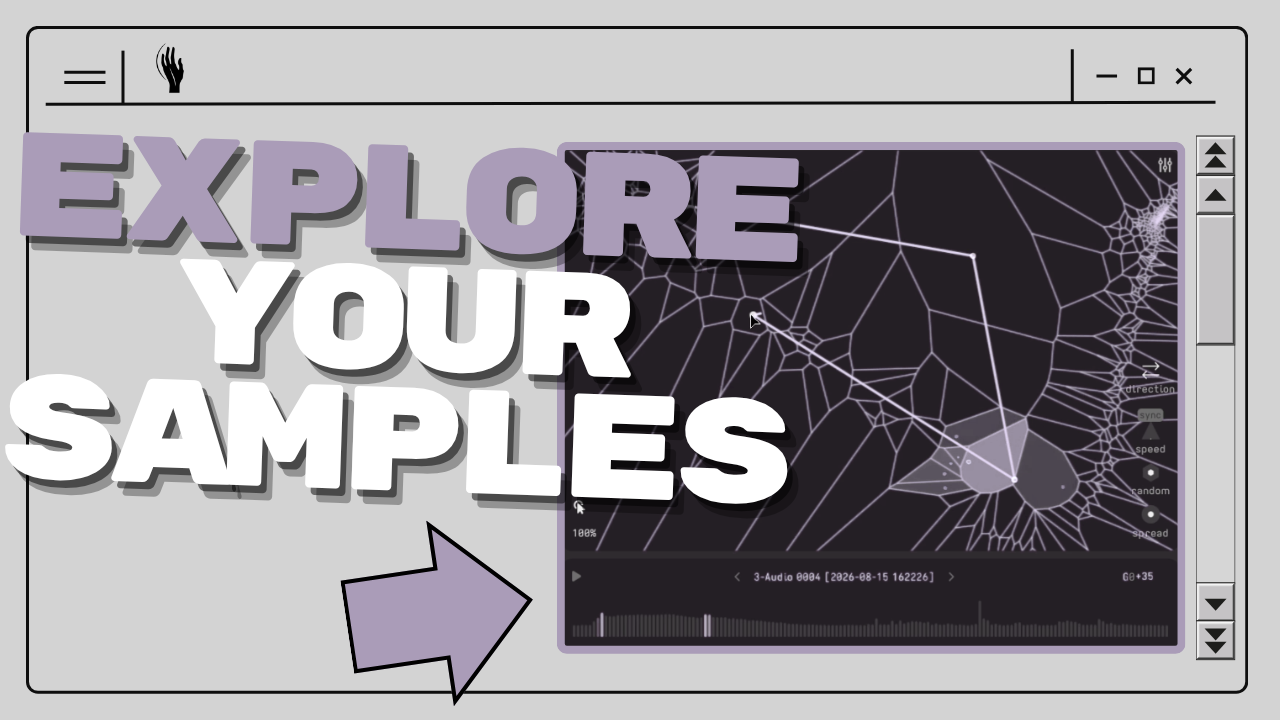
When you load a sample, Solstice analyzes its frequency spectrum, then clusters the analysis frames by timbre similarity into a map of cells. Every cell is a frozen spectral state of your sample, and moving the playhead morphs between those states. The important part: this is not granular synthesis. There is no chopping, so there are no clicks. The transitions between one sound and the next are smooth spectral morphs, which is why everything you pull out of it feels like it was always meant to be a drone.
Reading the map becomes intuitive fast. Bigger cells tend to hold the droney, sustained material. The smaller, denser regions carry more texture and high frequency content. So finding a sweet spot is literally a visual search: you drag the playhead around, listen, and park it where the sample sounds best. Hold a single C3, or a chord, and you already have a texture machine running.
Movement without touching a single modulator
Here is the thing that makes Solstice feel different from my usual drone workflow. Normally I build a drone with reverbs, and the raw result is completely static. Then I start modulating things by hand, the diffusion of the reverb, small filter movements, whatever gives the drone subtle life without changing it too much.
Solstice has that movement built into the instrument. Two controls, Random and Spread, push the playhead around its position on the map. Random decides how much it jumps, Spread decides how far. With just those two knobs the sound is never static, and you have not routed a single modulator yet. That subtle constant drift is usually the thing I have to work for. Here it is the starting point.
Drop anything in, even a bad mic recording
The sample concept is where it gets personal. To prove the point in the video, I recorded a quick soundscape with my headset mic, complete with its permanent low end hum, and dragged it straight onto the plugin. Solstice built a map out of it, hum and all, and within a minute I was holding chords on a drone that came from my own room.
That is the part I find genuinely compelling. You can take a field recording, a voice memo, any fragment from your own world, and put a little bit of your own soul directly into the patch. Maybe that is an esoteric way to look at it, but it fits how I think about sound design: the source material carries meaning, even after it has been smeared into a texture.
Path and Drift: the map starts playing itself
Static mode is only one of three ways to play the map.
In Path mode you draw a route across the map, through the cells you like, and Solstice travels along it. It can loop, bounce, or play once, and you can sync the movement to your project tempo or let it run free at its own speed. Set a slow unsynced path with a touch of Random and Spread, hold one note, and you get an evolving drone that slowly migrates through the timbres of your sample. That is arrangement level modulation without automating anything.
Drift mode plays your sample back until you lower the Force control, at which point it starts orbiting spectral points on its own. In my session this turned into something like a generative melody, phrases emerging just from the playhead wandering through the material while my drone held one note underneath.
There is also a full ADSR envelope on the voice, which quietly turns Solstice into a pad machine. Attack up, release long, and every chord you play blooms in and fades out like a proper ambient pad.
Building a full scene with it
Solstice ships with its own filter, saturation, reverb and a compressor, which is why it sounds finished straight out of the box. This thing was clearly built with ambient in mind. In the video I ran two instances, one holding a drone, one on Drift duty, layered a foley recording softly underneath, and only then reached for Ableton effects: a hybrid reverb for space, slow moving filters, a phaser, and a chorus with feedback for that old school, Boards of Canada style wobble.
One small trick from the session: put the same slow filter on two layers and invert one of them. When one layer dips a frequency range, the other pushes it. The two sounds mix themselves, and the arrangement breathes on its own.
Should you check it out?
If you make ambient, experimental or any kind of texture heavy music, yes. Solstice does one thing, exploring a single sample as a spectral landscape, and does it with a beautifully minimal interface that shows you exactly where you are, both on the map and in the waveform. It comes with plenty of presets, including a growing set of artist presets, but the real fun is feeding it your own recordings.
And it is a debut plugin from a three person indie team. You know me, this is exactly the kind of company I like supporting.
Get Solstice
Grab it here: Solstice by Minuit. The MORDIO10 launch code ran until August 31, 2026 and has expired.
Disclosure: Minuit provided my Solstice license for this review. MORDIO10 was a partner code they set up for this community.
If you enjoyed this, check out Slink Filter VST, the filter doing the slow movements in this session, and Constant Moving Modulations With HydroSwarm for more ways to keep textures alive.