Warping is where I start in this beginner course, because it is super fun and it pushes you to make music with whatever you can record in Ableton Live. You don't need a synth for this. In this part I take my own voice and a coffee machine and turn them into a percussion loop and an atmosphere.
In this part:
- How to record audio into a channel in Ableton Live
- How to open the sample editor with Shift+Tab
- What is warping in Ableton Live
- Which warp mode to use: Beats, Tones, Texture, Re-Pitch, Complex, Complex Pro
- How to build percussion out of a voice recording
- How to stretch a sample into a texture
How do I record audio in Ableton?
You can use a sample from your library. Mine is called alien coffee machine, and it was literally just a coffee machine. Drag and drop it onto an audio channel.
Or you record something yourself:
- Show the ins and outs of your channels. You can switch that on in the small options at the bottom, the same mixer section from Part 1: The interface.
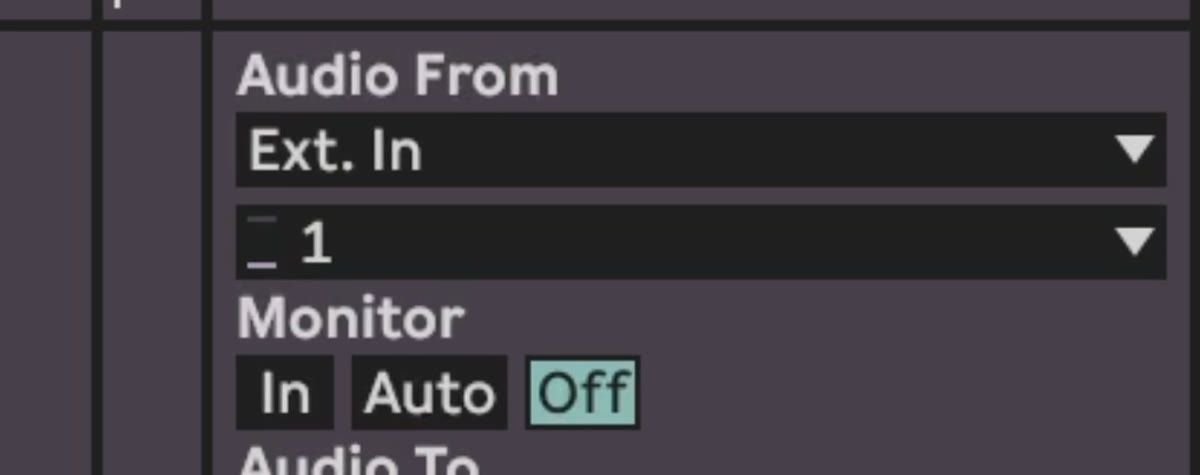
- Set the input to Ext. In. A mic is mono most of the time, so you take one channel, in my case 1. A stereo source like a synth takes 1 and 2.
- There is an option to hear what you are putting in. If your speakers are on, you get feedback: it goes out of the speakers, back into the mic, and on and on. So don't click that.
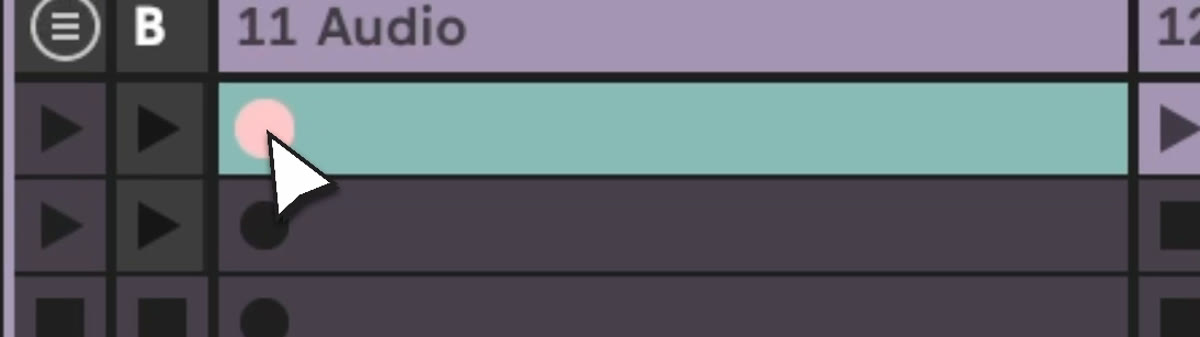
- Make the track hot, click one of the little circles in a clip slot, and record a clip.
Open the clip big
Double click the clip, or click it once and press Shift+Tab. The small window at the bottom is not how anyone wants to work. If you work with a sample, you want space. I pull that view up really big and then just use Shift+Tab. Now you are in the sample editor, almost full screen.
Warp the sample so you get the grid, loop it, and pick an area, for example two bars.
Which warp mode should I use?
You have Beats, Tones, Texture, Re-Pitch, Complex and Complex Pro. They analyze the audio in different ways, so the same change sounds different in each mode.
- Complex tries to keep the sample the most like it is. Pitch my voice up three semitones and it stays alive.
- Beats starts making it clicky and snappy the more you go. Take the number down, and at zero you are getting almost percussion.
- Re-Pitch works like a vinyl on the wrong speed. It just pitches the sound up or down with the stretching, and the pitch control doesn't change anything anymore.
- Texture is kind of like granular synthesis, with a grain size and flux.
- Tones also has a grain size. To be really honest, I never got the difference to Texture. Jump between both and find your sweet spot.
- Complex Pro uses a lot of CPU to keep a sample sounding natural. A sample recorded at 100 BPM played at 90 BPM sounds very different, and Complex Pro tries to make it sound like it was produced at 90.
From my voice to percussion
Double click up in the marker area and you can stretch an area of the sample. Now it is time warped. In Beats mode you set how it follows the transients, the peaks, the loudest parts of the sample. Set it to 16 and it tries to play more in 16ths. Go smaller and it gets tighter. Bring the volume up, and out of my voice we created a percussion loop.
From a coffee machine to an atmosphere
Take a longer loop from the coffee machine. Watch the start marker. The sample can start in the middle, but here I want it at the beginning.
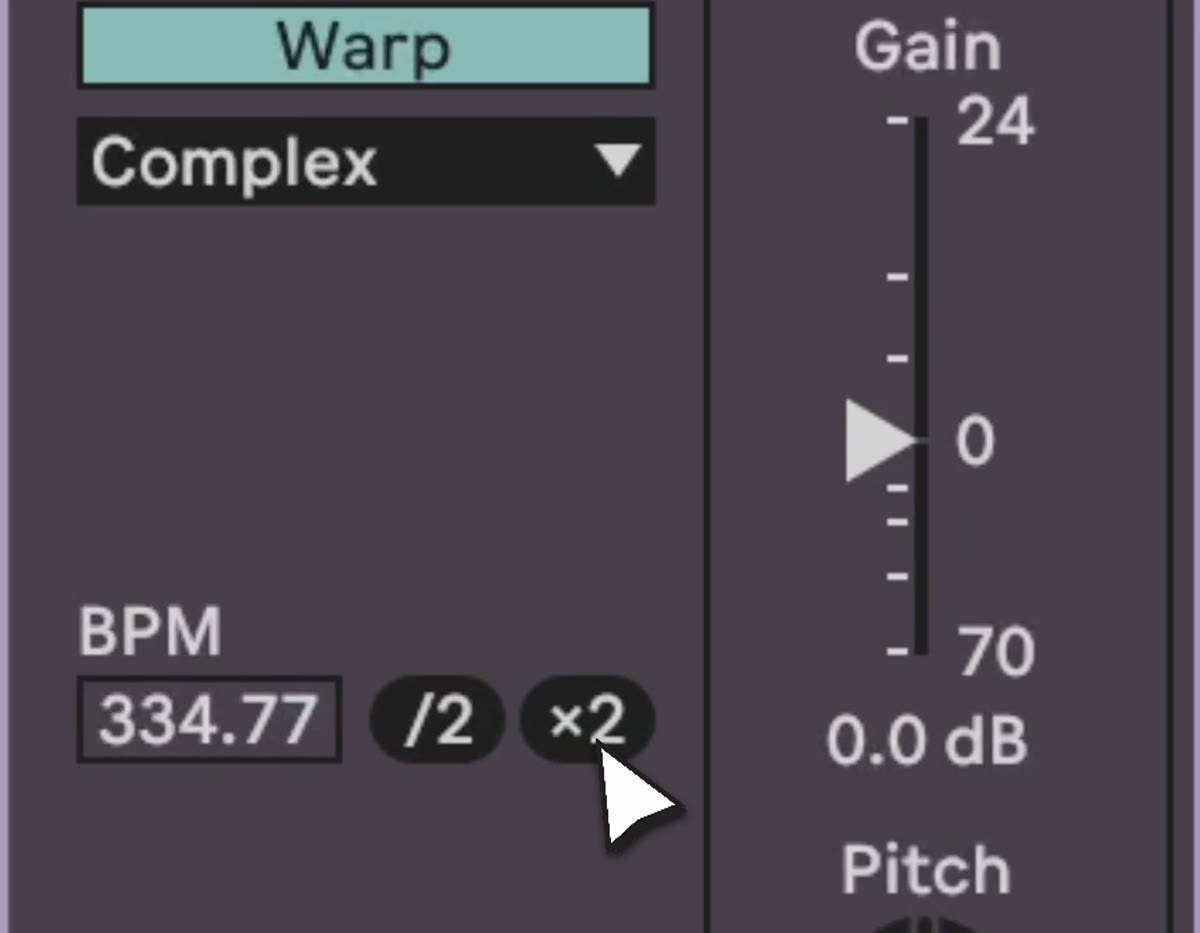
Next to the sample there is :2 and x2. With x2 the sample gets double as long. On Complex mode it tries to emulate the same sound, but it already struggles, because we doubled it. Re-Pitch makes it sound like a vinyl played slower.
Then Texture mode. Make the grain size huge and the flux really big too, and the sound gets scratched into a texture. Put a little effect on it and listen in context. Alone it sounds okay, nothing crazy. With some drums and a bass line it can already sound like a track.
Your homework
After this video, go into Ableton and record something on one of your channels. A laptop mic is enough. Make small loops and play with the warp modes. Double click the markers, stretch the stuff, form some sounds. Then make about five channels that interact with each other.
If you want raw material to practice this with, I have 219 samples made to be processed and mangled: https://mordio.online/shop/2807651d-c5c2-4f71-b408-c66434544508
Previous: Part 2: The browser. Next: Part 4: Synthesizers.